
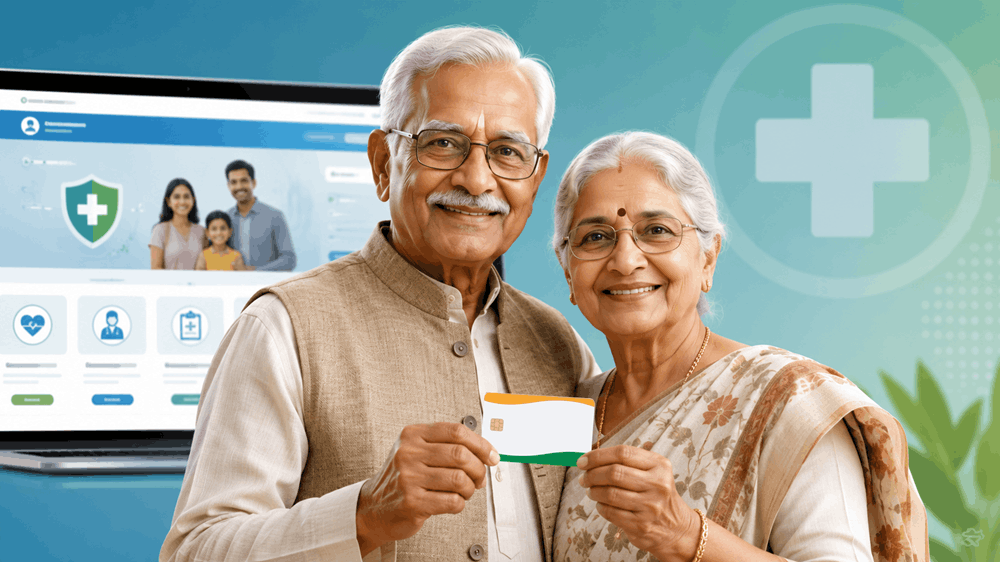
If your parent or grandparent is 70 years or older, they qualify for ₹5 lakh free annual health coverage under the Ayushman Bharat AB 70+ scheme — no income limit, no BPL card, no waiting list. The physical card issued under this scheme is officially called the Vay Vandana Card.
This guide gives you every digital step to register, verify, and download that card — including what to do when Aadhaar fingerprint authentication fails.
What Is the Ayushman Bharat 70+ Scheme and the Vay Vandana Card?
Launched in October 2024 by the Government of India, the AB 70+ scheme extends Ayushman Bharat PM-JAY health coverage to every Indian citizen aged 70 and above. The benefit is universal — it does not matter whether your parent is salaried, retired, covered under CGHS, or enrolled in a private insurance plan. They still receive a separate ₹5 lakh annual top-up exclusively for themselves.
The Vay Vandana Card is the physical identity document your parent must present at any empanelled hospital to access cashless treatment.
New in May 2026 — Swasth Bharat Portal: The Government of India launched the Swasth Bharat Portal, a single unified health dashboard that brings together Ayushman Bharat enrollment, ABHA Health ID creation, and hospital search. The Vay Vandana Card enrollment still happens at beneficiary.nha.gov.in, but the Swasth Bharat Portal is now the recommended entry point — it links directly to the enrollment flow.Ayushman Bharat 70+ Eligibility Criteria: Does Your Parent Qualify?
Before opening the portal, confirm all three conditions:
- Your parent is 70 years of age or older on the date of application
- They have a valid Aadhaar card linked to an active mobile number
- They are an Indian citizen (any state, any income group)
No BPL card. No ration card. No income certificate. The scheme is universal for the 70+ age group.
Documents Required for Vay Vandana Card Registration (2026)
Keep these ready before you open the portal. An incomplete document set will stall your application.
Mandatory Documents
- Aadhaar Card of the senior citizen (original for reference; you do not upload a scan)
- Aadhaar-linked mobile number — must be active and accessible for OTP during the session
- Date of birth proof — Aadhaar suffices if DOB is printed on it; otherwise use a passport, voter ID, or birth certificate
- Recent passport-size photograph — digital JPEG file, under 100KB
- Your phone or computer with a stable internet connection
Optional but Useful
- Existing Ayushman Bharat / PMJAY card (if the household was previously enrolled)
- ABHA ID (Ayushman Bharat Health Account number), if your parent has already created one
Step-by-Step Guide: How to Apply for Vay Vandana Card Online
Step 1: Go to the Official Portal
Open https://beneficiary.nha.gov.in in your browser. This is the only official NHA enrollment portal. Avoid third-party websites or mobile apps offering “fast Ayushman registration” — they are not authorised.
From the Swasth Bharat Portal homepage, click “Ayushman Bharat — Enroll Now” — it redirects to this same URL.
Step 2: Click ‘Beneficiary Login’
On the portal homepage, select “Beneficiary Login.” From the dropdown, choose your parent’s state of residence — not your own, if you live in a different state.
Step 3: Enter Aadhaar Number and Complete OTP
Type your parent’s 12-digit Aadhaar number carefully. The portal immediately sends a one-time password to the Aadhaar-linked mobile number. Keep your parent nearby or ensure you have access to that phone.
Enter the OTP within 10 minutes — the session times out after that and you will need to start over.
Step 4: Search the PMJAY Beneficiary Database
After OTP login, the system searches the PMJAY database automatically. Two outcomes are possible:
- “Beneficiary Found” → Your parent’s name, age, and existing details appear. Proceed to Step 5.
- “Record Not Found” → Click “New Enrollment for AB 70+” on the same screen. Enter the name, Aadhaar number, date of birth, and gender exactly as printed on the Aadhaar card — even a single character mismatch causes rejection.
Step 5: Complete e-KYC Identity Verification
This step confirms your parent’s identity. Two methods are available:
Option A — OTP-Based e-KYC (Recommended for home registration)
- Select “OTP Authentication”
- A fresh OTP is sent to the Aadhaar-linked mobile
- Enter the OTP to complete KYC instantly
Option B — Biometric e-KYC at CSC (Use if OTP fails or mobile is not linked)
- Visit your nearest Common Service Centre (CSC) or an empanelled hospital’s Ayushman Mitra counter
- Fingerprint or iris scan is used for verification
Step 6: Upload Photograph and Submit
After e-KYC, upload a recent photograph of your parent. File format: JPEG. Maximum size: 100KB. Larger files will not upload.
Click “Submit Application.” An Application Reference Number (ARN) is sent via SMS to the registered mobile. Note it down — you will need it to track status.
Step 7: Download and Print the Vay Vandana Card
Applications are typically approved within 24 to 72 hours. Once approved:
- Return to beneficiary.nha.gov.in
- Log in with your parent’s Aadhaar and OTP
- Click “Download Card”
Print on A4 paper. Getting it laminated is advisable — it will be presented at hospitals frequently. The card is valid at all PMJAY-empanelled hospitals across India, including private hospitals on the list.
Troubleshooting: Aadhaar Fingerprint Authentication Failed
This is the most reported problem — and it is fixable. Here is what causes it and how to resolve it.
Why Fingerprints Fail for Senior Citizens
Fingerprint ridge detail naturally fades with age. Diabetes, dry skin, manual labour history, and arthritis all accelerate this. The UIDAI biometric system may reject a perfectly valid finger as “no match.” This is not an error on your part.
Fix 1: Switch to OTP Authentication (Fastest Solution)
On the fingerprint screen, look for “Authenticate via OTP instead” and click it. An OTP is sent to the Aadhaar-linked mobile, completely bypassing the fingerprint reader. This resolves the issue in most cases within seconds.
Fix 2: Use Iris Scan Authentication at a CSC
If your parent’s Aadhaar was enrolled with iris data, a CSC operator with an iris scanner can authenticate them. Find your nearest CSC at locator.csccloud.in and call ahead to confirm they have iris scanning equipment.
Fix 3: Face Authentication via AadhaarFaceRD App
UIDAI officially supports face-based authentication through the AadhaarFaceRD mobile app. An Ayushman Mitra or CSC operator can use this app to verify your parent’s identity against their Aadhaar photo in real time.
Fix 4: Update Biometrics at an Aadhaar Seva Kendra
If all above methods fail, take your parent to an Aadhaar Seva Kendra to update biometric data. The first biometric update is free of charge. After the update, wait 48 hours before retrying on the Ayushman portal. Use the UIDAI website to locate the nearest centre.
Fact-Check: Common Myths About the Vay Vandana Card
Verified against official NHA and PIB communications.
| Claim | Verdict |
|---|---|
| ₹5 lakh coverage is per senior citizen, not shared with the family | Correct — it is a separate individual entitlement |
| Only BPL families are eligible | False — universal for all Indians aged 70+ |
| CGHS or ESI beneficiaries cannot enroll | False — they receive an additional top-up benefit |
| The card is valid at private hospitals | Correct — at PMJAY-empanelled private hospitals |
| OTP authentication is a valid substitute for fingerprint | Correct — officially approved by UIDAI |
| The card needs annual renewal | False — no annual re-enrollment required |
| Enrollment requires visiting a government office | False — fully online at beneficiary.nha.gov.in |
Frequently Asked Questions (FAQ)
Q: Can I apply for the Vay Vandana Card on behalf of my parent?
Yes. You can complete the entire online process on their behalf using their Aadhaar number and OTP, as long as you have access to their Aadhaar-linked mobile number.
Q: Is the Vay Vandana Card different from the regular Ayushman Bharat card?
The Vay Vandana Card is issued specifically under the AB 70+ scheme. It carries a separate ₹5 lakh coverage for the senior citizen alone, in addition to any existing family PMJAY coverage.
Q: What if my parent’s mobile number is not linked to Aadhaar?
will not work. You must visit a CSC or Ayushman Mitra counter for biometric or face-based authentication. Alternatively, get the mobile number linked at an Aadhaar Seva Kendra first.
Q: How long does card approval take?
Typically 24 to 72 hours after successful submission. You can track status using the ARN on the portal.
Q: Is the ₹5 lakh benefit per year or per hospitalisation?
Per year. It resets on April 1 each financial year.
Where to Get Help
| Resource | Details |
|---|---|
| Ayushman Bharat Helpline | 14555 (toll-free, 6 AM–10 PM) |
| NHA Grievance Portal | nha.gov.in/grievance |
| Swasth Bharat Portal Help Desk | Chat widget on portal homepage |
| Nearest CSC Locator | locator.csccloud.in |
| Ayushman Mitra (At Hospitals) | Available at the OPD counter of most empanelled district hospitals |
Final Word
The Vay Vandana Card means that a cardiac bypass, cancer treatment, or emergency surgery will not force your family to liquidate savings or take a loan. The ₹5 lakh is paid directly to the empanelled hospital you file no claim, face no reimbursement delays.
The online process takes under 30 minutes. Start today at beneficiary.nha.gov.in.
